
How to Create a Sitemap in PrestaShop 1.7
Sitemap is a file which is needed to speed up indexing of your website by search engines. It is basically an XML file which lists all the products and pages of the online store. When search engines come across this file, they can easily and efficiently index all website pages. After that, the products on these pages can be displayed in search results when a user makes a search query.
To create a sitemap in PrestaShop 1.7, you need to install and configure a special Google Sitemap module. It is a tool that helps building a map of your store and updating it after that.
You can download the module for your PrestaShop 1.7 store from GitHub.
Keep in mind that after downloading, the folder name should match the name of the module: gsitemap.
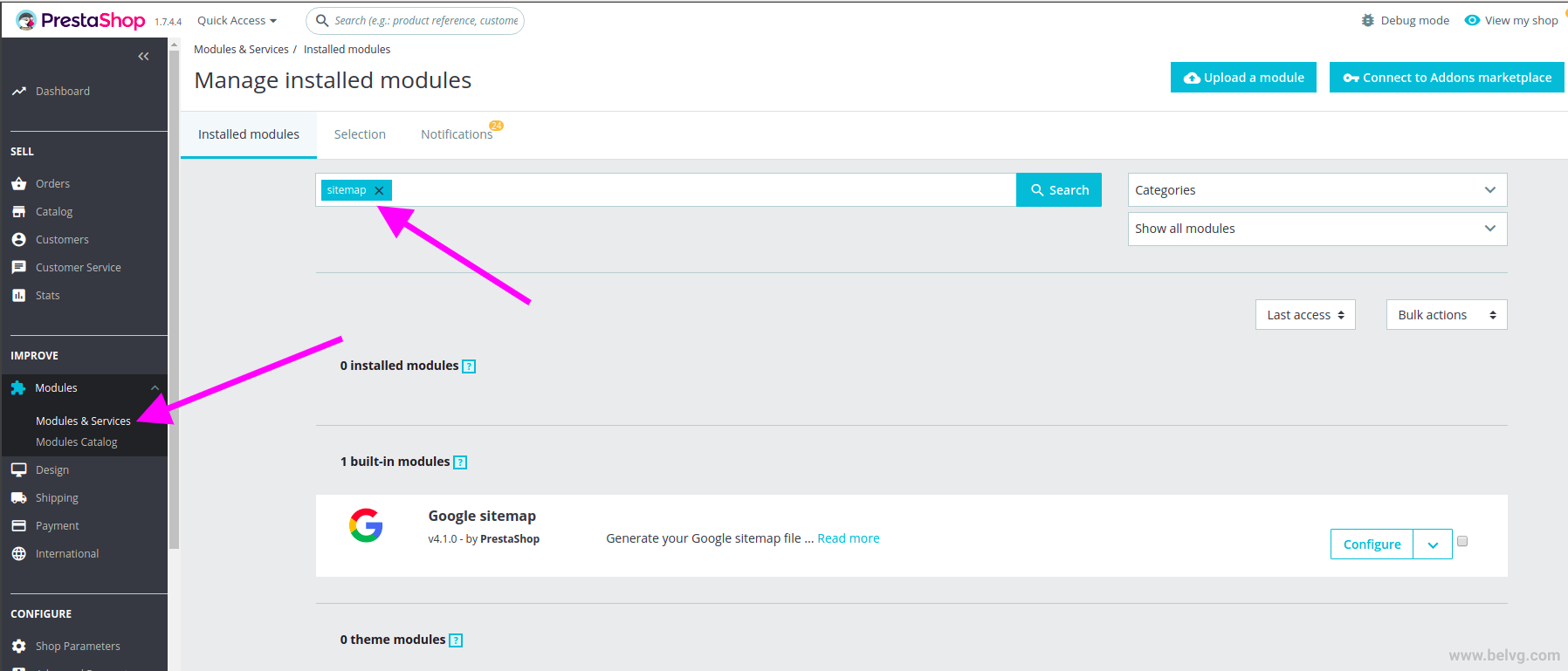
So, let’s take a look at sitemap creation. You need to open the admin panel and proceed to Modules ➜ Modules and Services. Type the keyword gsitemap into the search bar:
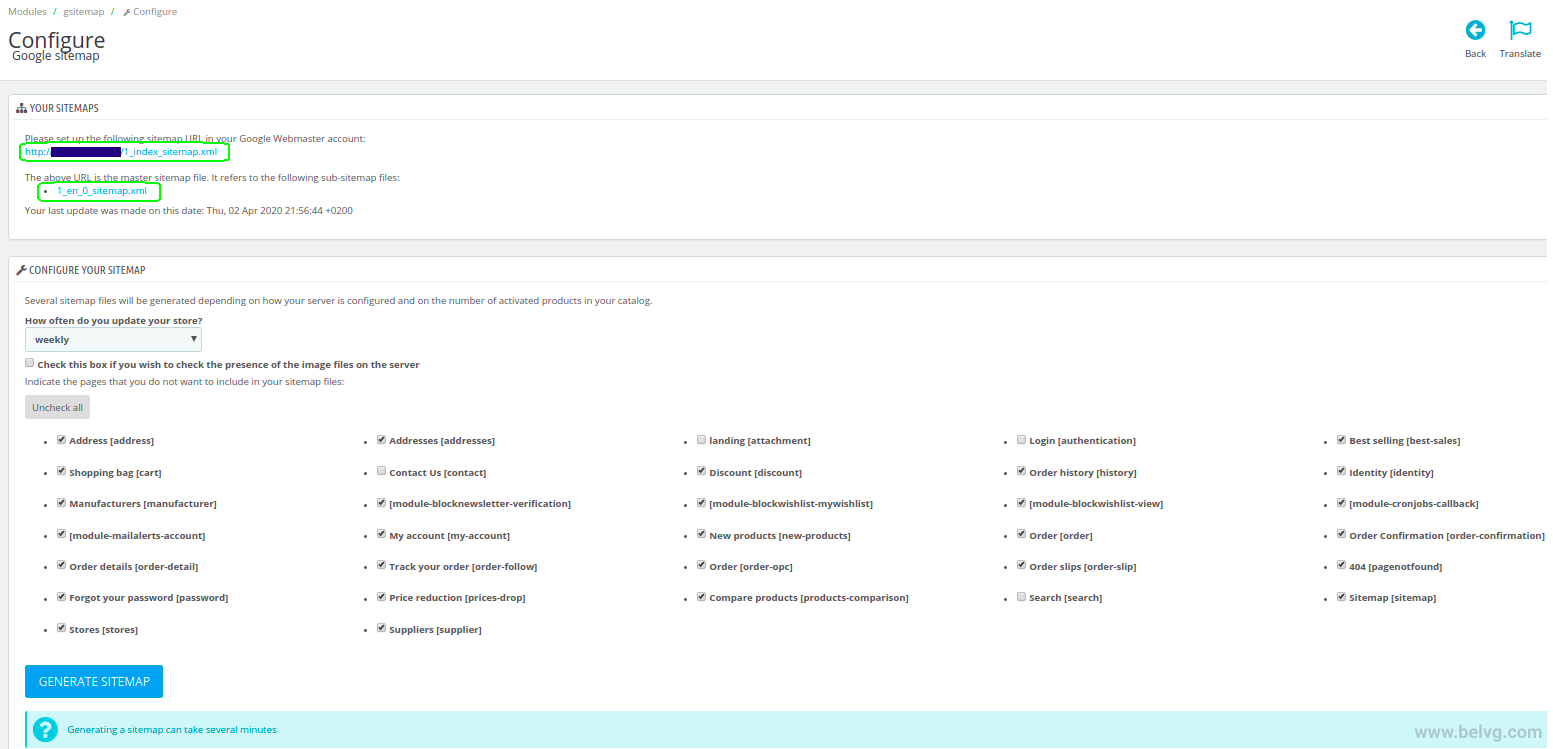
The configuration page has a number of settings as you can see on the following screenshot:
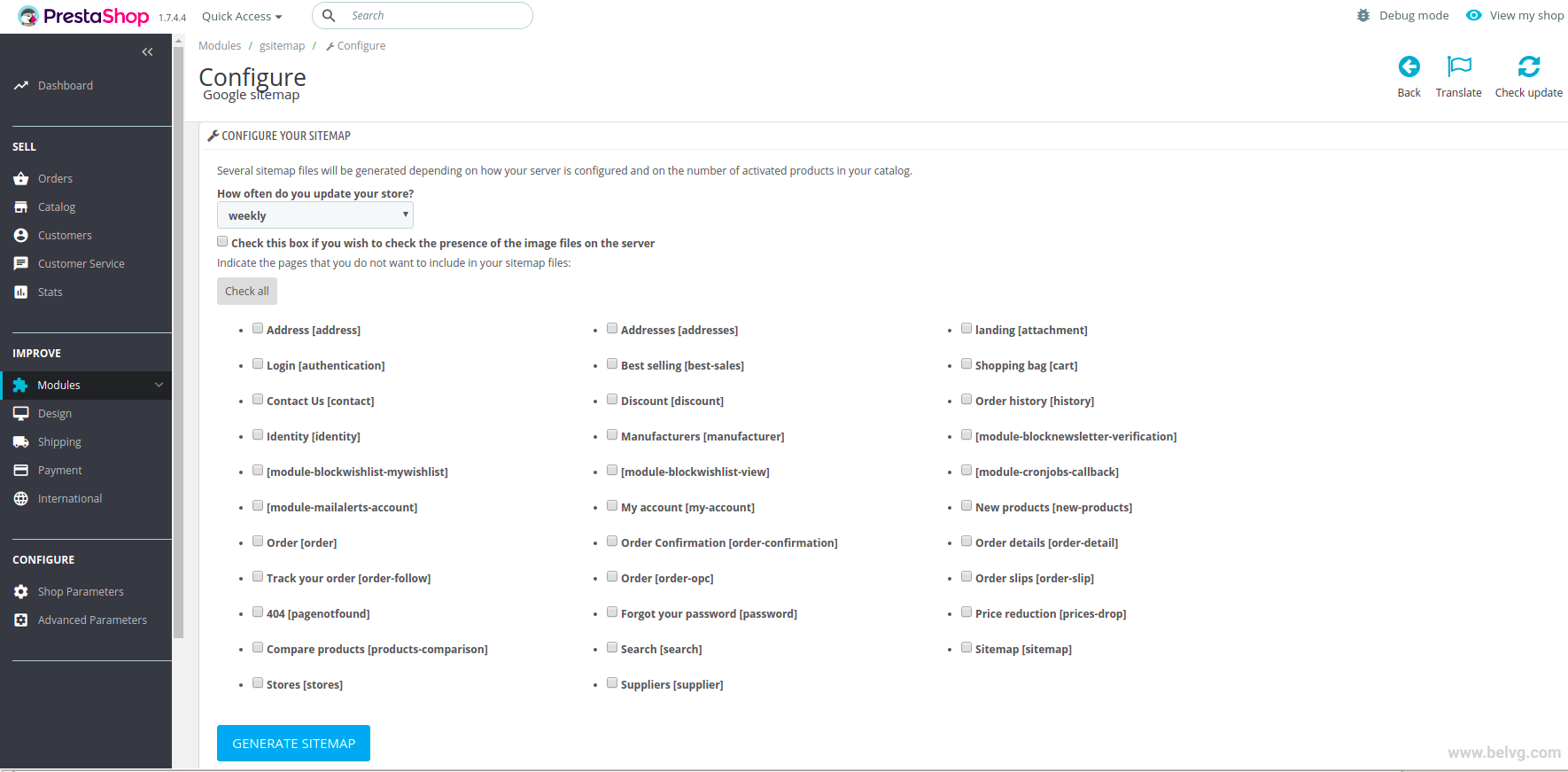
Here we mark the categories that will not be included in the sitemap. We recommend not to include an authorization page, shopping cart, personal page, orders history and others where the same information is displayed for each visitor at the same address. Besides, you do not need to include service pages such as the 404 page in the sitemap.
After you’ve made sure to look through all the checkboxes, you should start generating the file clicking on the Generate Sitemap button.
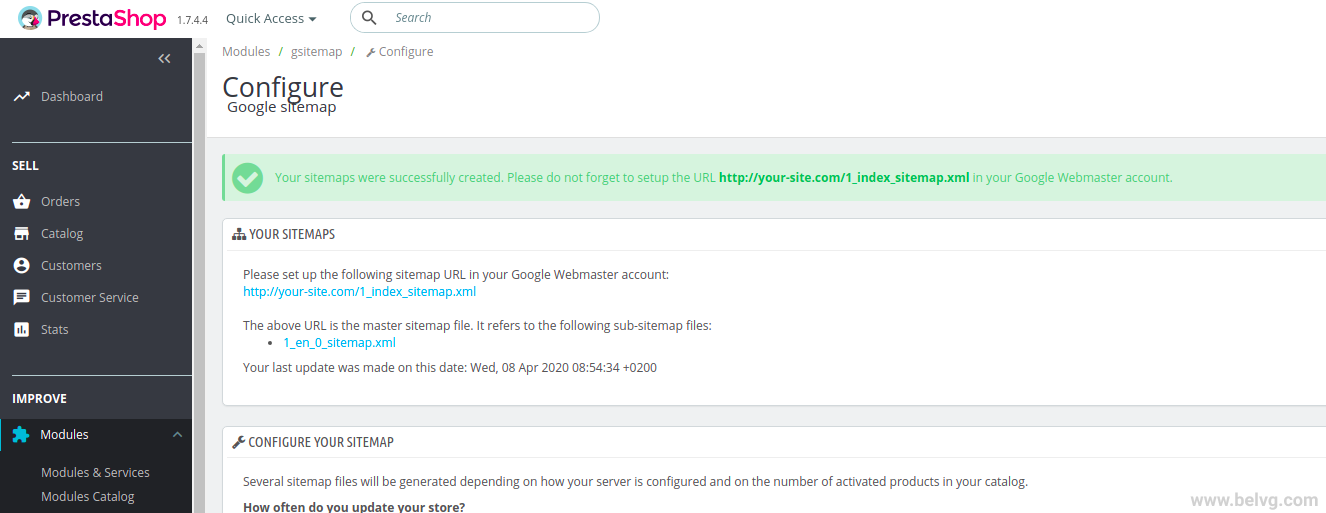
After that, you will be given the sitemap address. For example, it can be http://presta/1_index_sitemap.xml.
Save this URL in your Google Search Console account and robots.txt. The module will show you the file size and the number of indexed pages. Do not forget to update the file on a regular basis, so that the search systems could make a full indexation of the site.
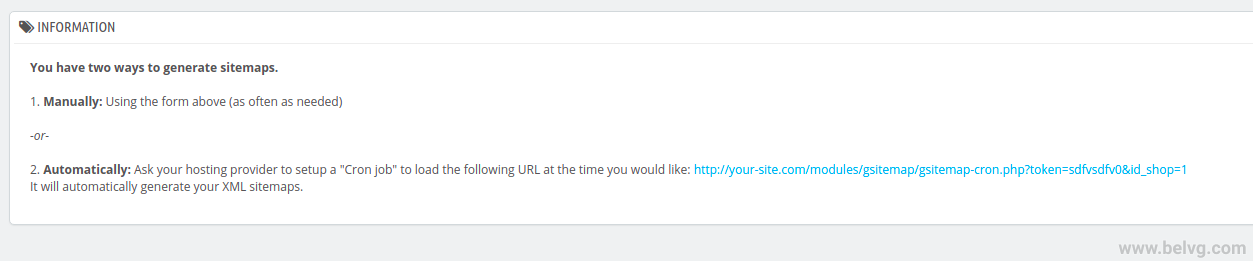
The last block of the configuration page contains the cron link. A good sitemap is a regularly updated sitemap. If you don’t feel ready to constantly press the Update the sitemap file button, perhaps you’d want your server to do it for you. Create a cron task using this URL, and don’t bother yourself with it anymore.
If you do not know what a cron task is, you can consult your hosting provider.

PrestaShop Development
Take your online store to the next level with BelVG PrestaShop DevelopmentVISIT THE PAGE
How to Add the Sitemap to Google Search Console
You have generated the sitemap files following the above guide. So, what’s next? Now, you need to add the sitemap file to Google Search Console to inform the search engine about the website. In order to do it, you should follow the steps below.
Step 1. First of all, you should sign in Google Search Console.
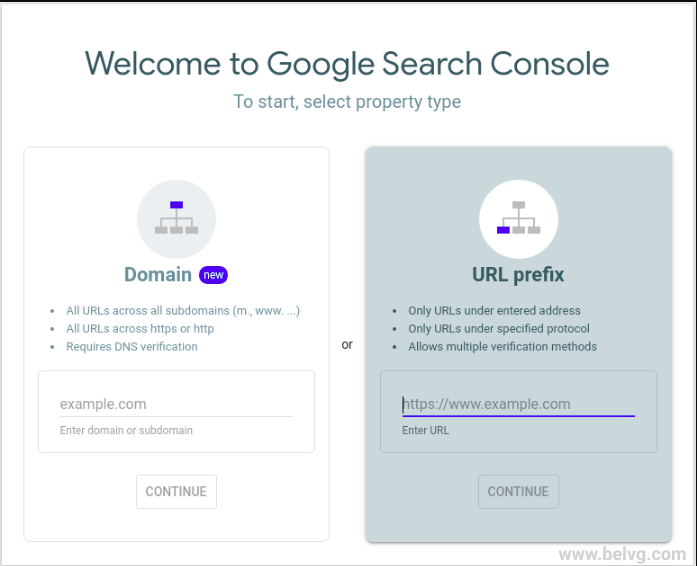
We use the URL prefix. So, here you enter the site url and click on Continue.
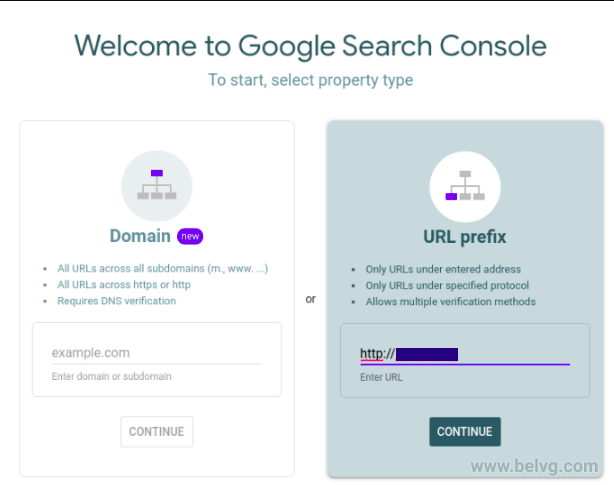
Step 2. You should download the HTML file and add it to your website. With the help of the ftp-manager, you can use, for example, the file manager in your hoster-panel. You need to add this html-file into your site’s root directory.
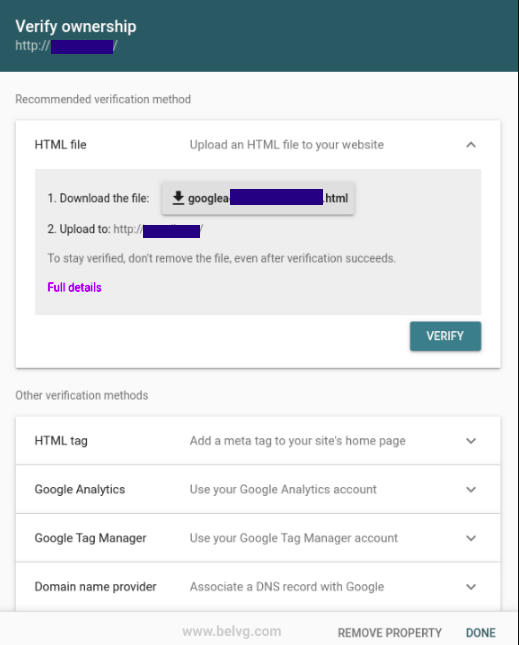

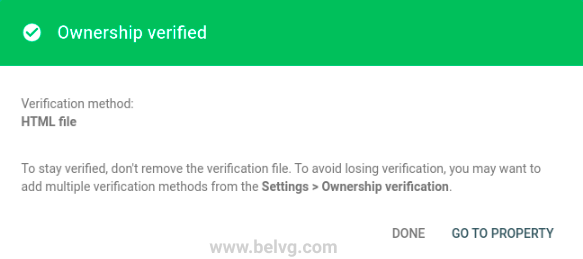
If you click on Verify, you get the following message.
Step 3. Log in your Google Search Console account and select the Sitemaps tab.

Step 4. We have already generated sitemap files. So, go to the admin panel of your site and check it.
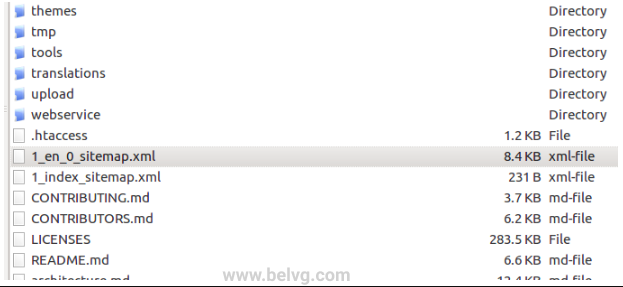
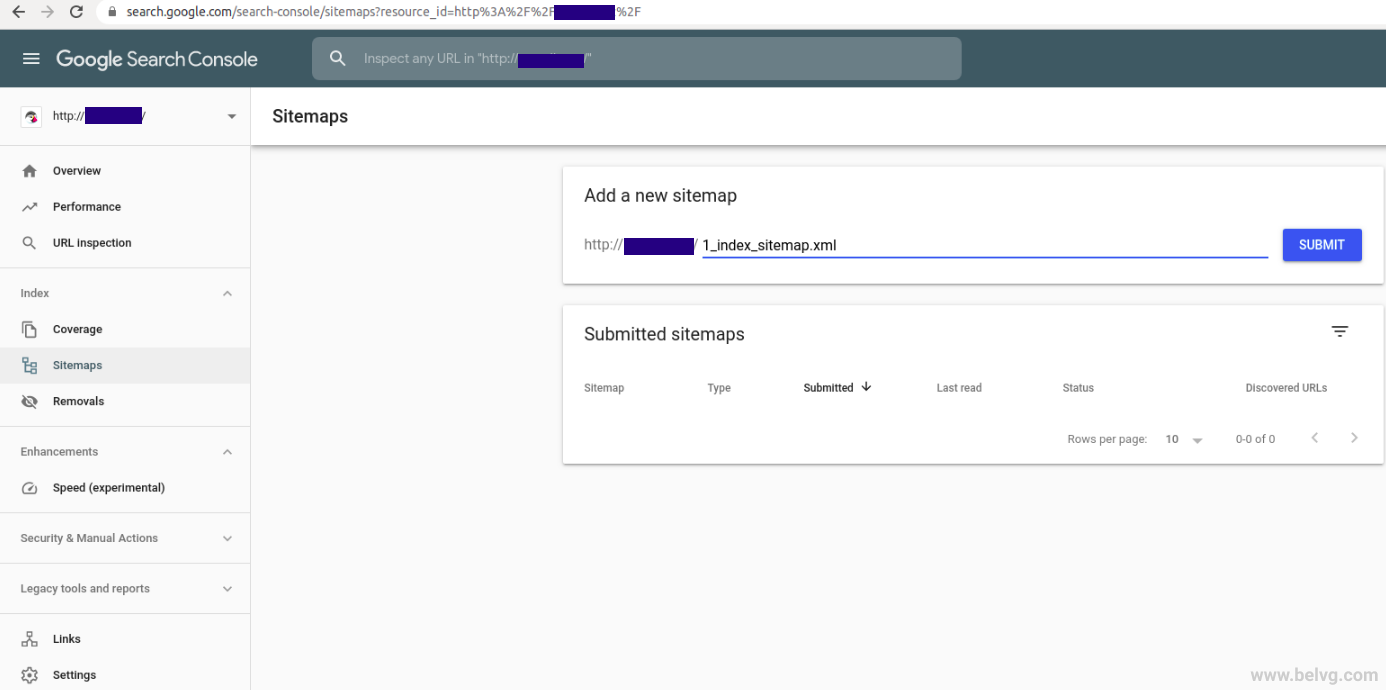
Step 5. Now let’s add sitemaps URLs in Google Search Console.

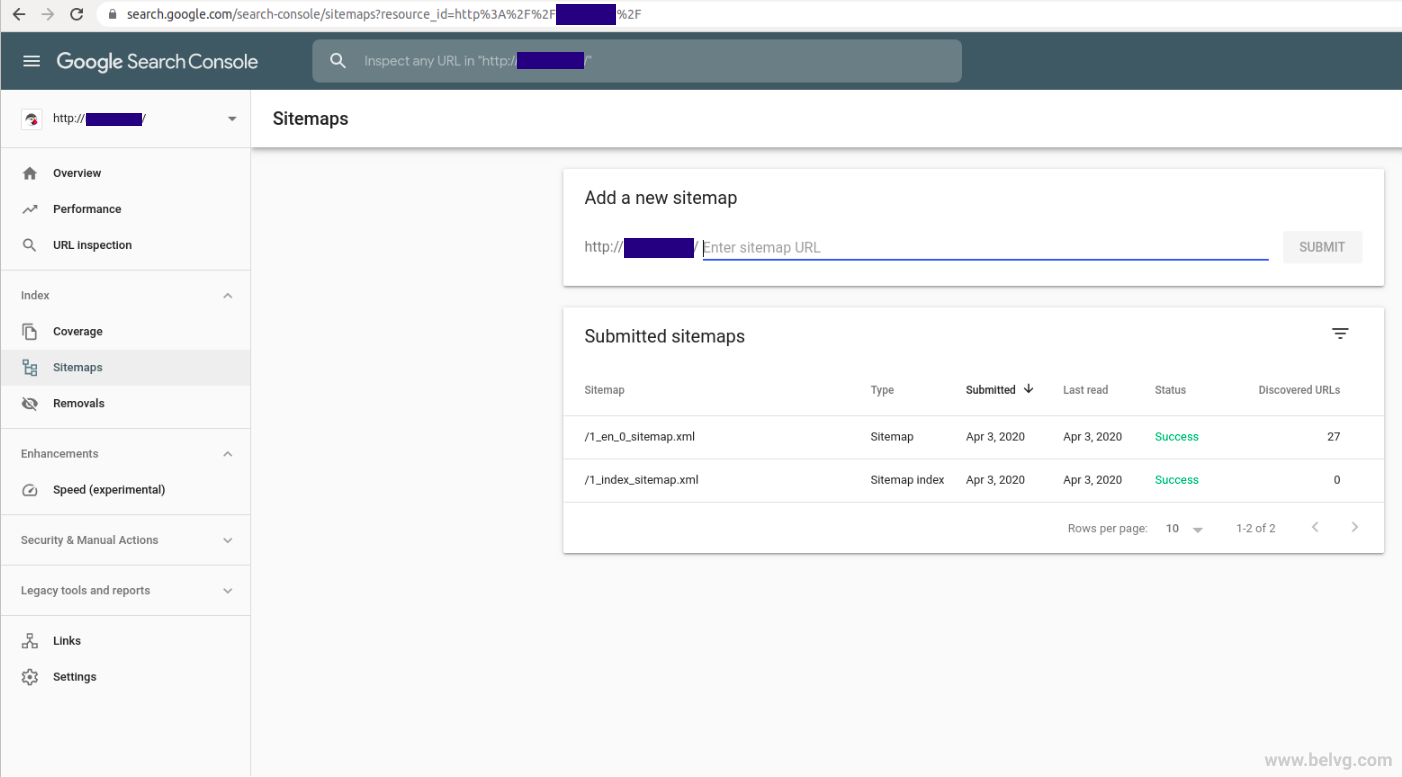
If you have performed everything well, you will get the following result:
Wrapping it up
Now, Google is able to see your website much better. Well done! The sitemap is a must for any online business that wants to have improved SEO. If you have any questions, feel free to leave them in the comments below. We are here to help you.
Looking for a quality PrestaShop solution? Find a suitable one at the BelVG store. All our PrestaShop modules and themes are now free due to the COVID-19 outbreak!